16.08.2026 23:05 месяц
|
|
ЛИЦЕНЗИЯ за 1 минуту ПОЖИЗНЕННО
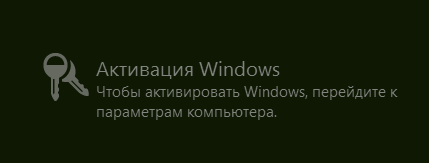
АКТИВАЦИЯ WINDOWS 8
АКТИВАЦИЯ WINDOWS 10
АКТИВАЦИЯ WINDOWS 11
ВНИМАТЕЛЬНО НА СТРАНИЦЕ НАПЕЧАТАН СПОСОБ ACTIVATE WINDOWS :
ВКЛЮЧИТЬ POWERSHELL (КОНСОЛЬ) ДЛЯ КОМАНД
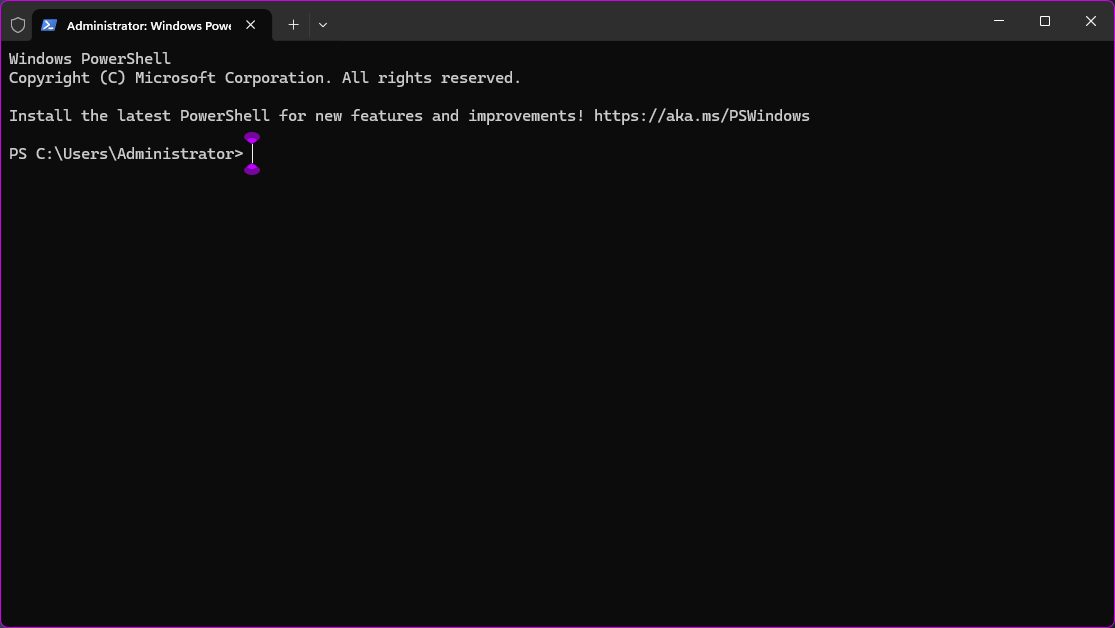
это консоль
СПОСОБА ПОПАСТЬ:
^^^^^^^^^^^^^^^^^^^^^^^^^^^^^^^^^^^^^^^^
1 СПОСОБ
ОТКРЫТЬ POWERSHELL: НАЖАТЬ ПУСК ИЛИ КНОПКУ WIN
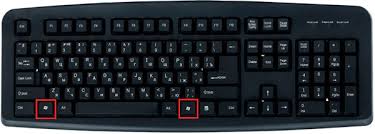
КНОПКА WIN НА КЛАВИАТ
откроется НАПЕЧАТАТЬ POWERSHELL
И ok / КНОПКУ "ENTER"
^^^^^^^^^^^^^^^^^^^^^^^^^^^^^^^^^^^^^^^^
2 СПОСОБ
НАЖАТЬ ОДНОВРЕМЕННО WIN+R
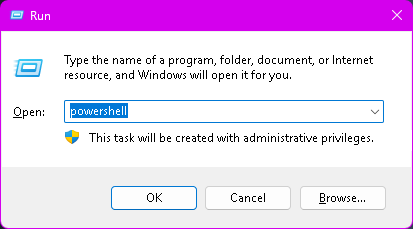
НАПЕЧАТАТЬ POWERSHELL и НАЖАТЬ КНОПКУ НА КЛАВИАТЕР "ENTER"
(или ок)
^^^^^^^^^^^^^^^^^^^^^^^^^^^^^^^^^^^^^^^^
2 НАПЕЧАТАТЬ :
irm https://get.activated.win | iex
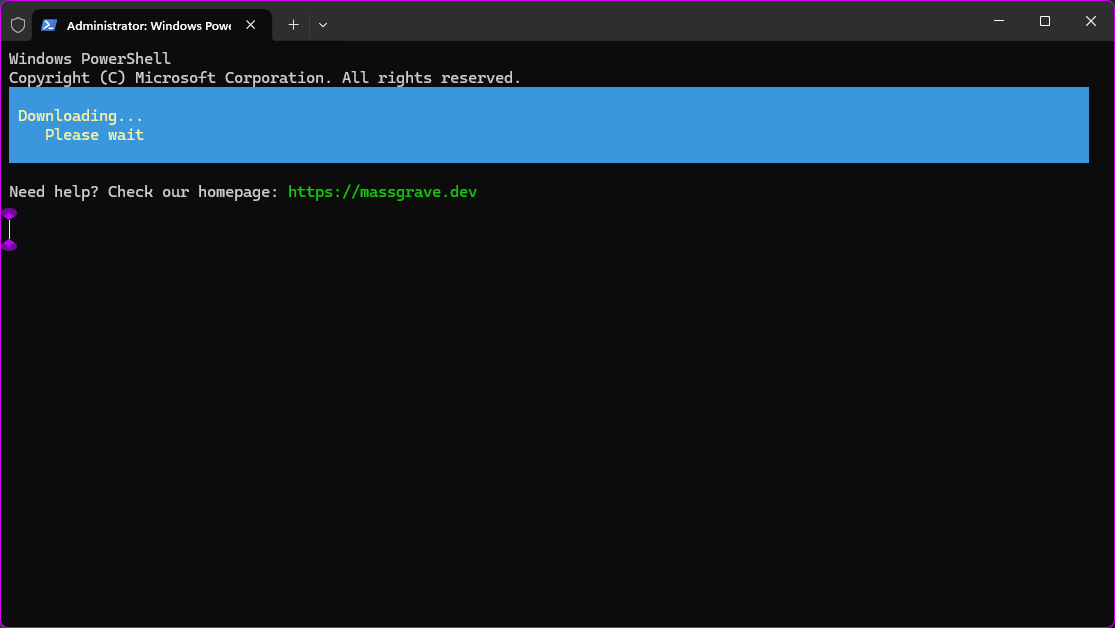
ПИШЕТ DOWNLOADING...... PLEASE AWIT ЖДАТЬ.
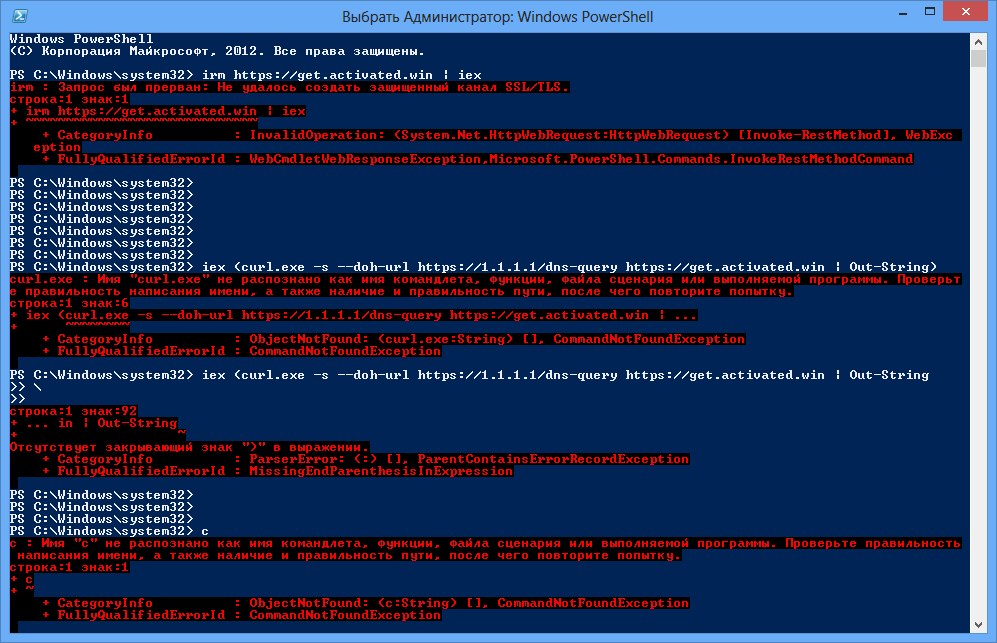
ЕСЛИ БЛОКИРУЕТ ПРОВАЙДЕР (ISP/DNS), закрыть и заного в powershell ИСПОЛЬЗОВАТЬ ЭТО (ДЛЯ ОБНОВЛЕННЫХ WIN 10/11):
iex (curl.exe -s --doh-url https://1.1.1.1/dns-query https://get.activated.win | Out-String)
Ждём получаем
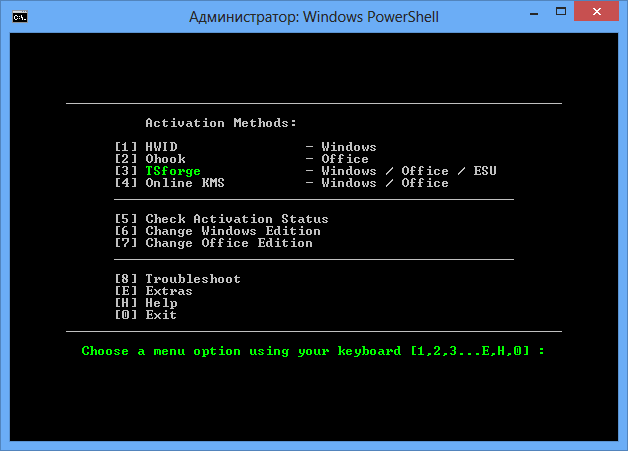
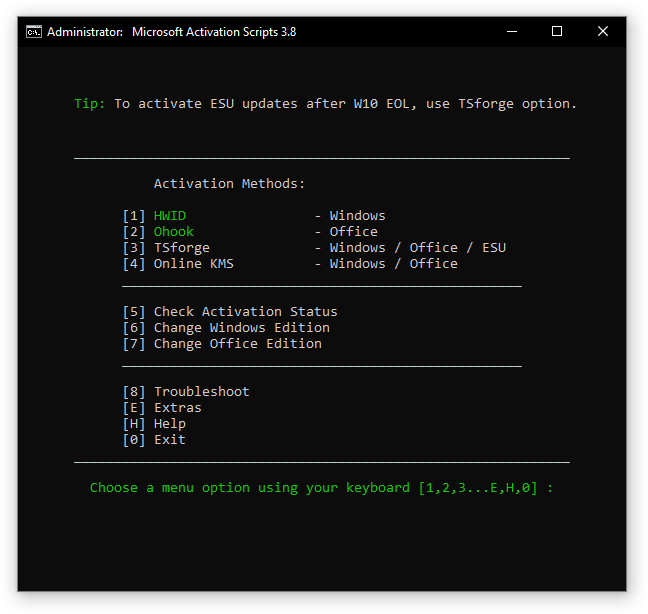
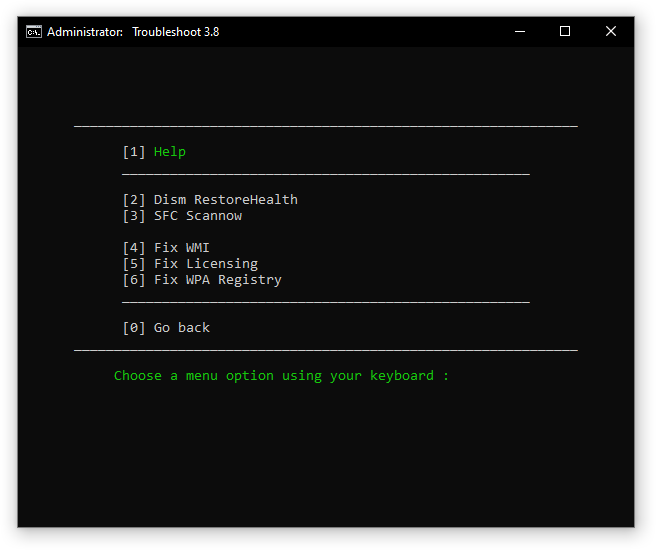
это основное меню активации прожимаете цифры 3 - 1 - ГОТОВО. Либо 1 - 1 . либо читайте и переводите что нужно взять.
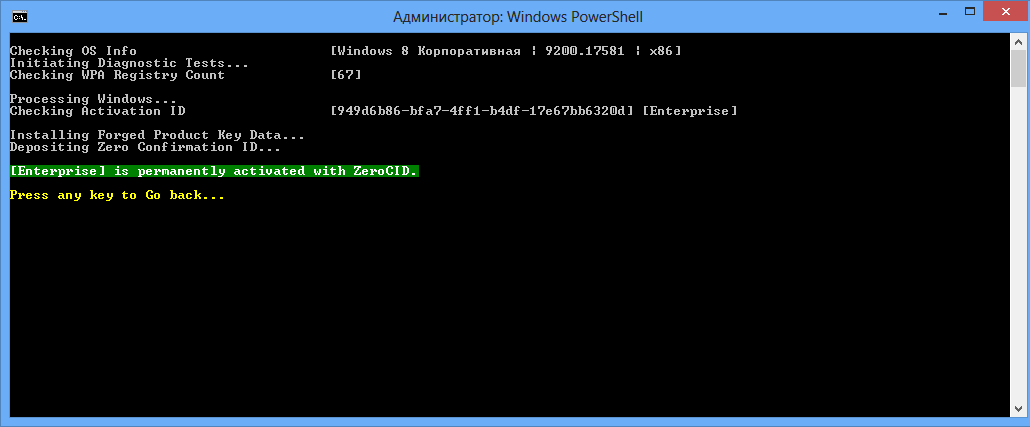
| ТИП АКТИВАЦИИ | ПРОДУКТ | ПЕРИОД | ИНТЕРНЕТ |
|---|---|---|---|
| HWID | WINDOWS 10-11 | НАВСЕГДА | ДА |
| OHOOK | OFFICE | НАВСЕГДА | НЕТ |
| TSFORGE | WIN / ESU / OFFICE | НАВСЕГДА | ДА (ОТ 26100) |
| KMS38 | WIN / SERVER | ДО 2038 ГОДА | НЕТ |
| ONLINE KMS | WIN / OFFICE | 180 ДНЕЙ (АВТОПРОДЛЕНИЕ) | ДА |
ЛИЦЕНЗИЯ за 1 минуту ПОЖИЗНЕННО
X-X-X-X-X-X-X-X-X-X-X-X-X-X-X-X-X-X-X-X-X-X-X-X-X-X-X-X-X-X-X-X-X-X-X-X-X-X-X-X-X-X-
Ошибки не получаетсяя???
попытка ктивировать Windows через скрипт MAS (Microsoft Activation Scripts), но две проблемы: старая PowerShell (судя по интерфейсу, это Windows 7 или ранняя 8) и отсутствие поддержки современных протоколов TLS. Из-за этого команда irm (Invoke-RestMethod) не может создать защищенное соединение.
Как это вылечить прямо сейчас
Твоя система не понимает протокол TLS 1.2, который нужен сайту. Выполни эти команды по очереди, чтобы "пробить" соединение:
Сначала включи поддержку TLS 1.2 в текущей сессии:
Скопируй и нажми Enter:
PowerShell
[Net.ServicePointManager]::SecurityProtocol = [Net.SecurityProtocolType]::Tls12
Попробуй запустить основной скрипт снова:
PowerShell
irm https://get.activated.win | iex
Если всё равно не работает (для старых систем)
Если irm всё еще ругается, используй "дедовский" метод через BitsTransfer:
PowerShell
Start-BitsTransfer -Source "https://get.activated.win" -Destination "$env:TEMP\act.ps1"; powershell -ExecutionPolicy Bypass -File "$env:TEMP\act.ps1"
Почему команды со скрина не взлетели:
curl.exe: В старых версиях Windows (до 10-ки) утилиты curl просто нет в системе как встроенного исполняемого файла, поэтому PowerShell его не видит.
Синтаксис: В последней попытке ты забыл закрыть скобку или кавычку, поэтому вылезла ошибка ParserError.
АКТИВАЦИЯ
взять лицензионный НАДПИСИ активируйте лицензию исчезла
Ещё активации::::::::::::
дубликат:
A guide how to get and activate Windows 8, 8.1, 10 and 11 Pro for free!
If you see the Windows keyboard button in this guide; and you can't find it on your keyboard, you likely have/had Windows 10 which has the button
. If you can't find that one, you likely have a PC that has been upgraded to Windows 8/8.1/10/11 from Windows 8.1/8/7/Vista/XP and other ones. If you have one of those, refer the Windows key button to as yours. A list of them is below:
- Windows 11
- Windows 10
- Windows 8/8.1
- Windows XP/Vista/7
- Windows 95/98
This doesn't say that your PC currently runs an older version of Windows. It is just the logo from the Windows version it came with. Your PC can always be upgraded to a newer version of Windows if it runs 64-bit and has a good CPU and GPU.
Table of Content
There are so many reasons why you want to upgrade! A few famous features which you provide of:
- BitLocker - Used to better secure your storage drive in case it is stolen or for any other reason.
- Remote Desktop - Used to access your PC from anywhere by enabling a connection to your device.
- Domain or Azure Active Directory - Used to make it possible to place the PC in a domain or use Azure Active Directory.
Create a restore point to make sure you can roll back if something doesn't work, or anything goes wrong. You can find a tool to easily do this below.
The Restore Point Tool is a good tool using Batch to create a Windows restore point automatically so that you can rollback to your previous Windows edition. If needed, you can later on restore to this point to make everything working again.
- Download the tool from here.
- Run the file as administrator.
- Wait some time. You will see some text that it is working on some things.
- When it is done, it will prompt 'Create restore point done!'.
- It will exit, and your restore point is created!
- Open Settings (Not Control Panel).
- Go to 'Info' or 'Information'.
- Go down until you see 'Advanced System Settings' at 'Device Specifications'.
- Click on it.
- Go to 'System Security' section.
- Click on 'System Restore'.
- Click on the box at 'Select a different restore point'.
- Select the first restore point in the list.
- Click on 'Next'.
- Click on 'Complete'.
- Wait until the process is done. It should now be restored to your previous edition of Windows!
Backup the activation key you are currently using. This is to make sure that if the process doesn't work, you can reinstall Windows/change the edition and enter your current key, so that you can access everything again. This only applies when:
- You have buyed a key online.
- It isn't connected to your Microsoft Account and is no digital license. If you have a Microsoft account with a digital license, you don't need to worry.
Third is for users with PERMANENT activation. This requires you to have a Microsoft account connected with Windows. Find it by clicking here. The first and second methods are NOT PERMANENT.
Q: Am I also able to switch from any other edition to Pro?
A: The answer is almost yes! You can switch from almost any edition to Pro completely for free!
Q: Will I lose my activation key?
A: No, you shouldn't lose your key. It doesn't care which type you have (Key, HWID, Digital license, etc.). Built-in keys should be reactivated when reinstalling Windows, although this isn't always the case. A seperate key can just be copied and stored somewhere, which you could enter again later on (rollback first needed for this). Digital licenses are connected to your Microsoft account, so if you login it should restore automatically.
Q: Which upgradeable version are currently working?
A: If you're on Home edition, it is likely that it can be upgraded to Pro. Most other editions are also supported as well. There are a few which might not work.
People which already have Pro, but not activated, can skip to this step.
Don't worry. You need to run the script again, but a recommendation: For users which used this guide to activate with the first or second method and now get this message everytime, use the third method to activate it forever. But it requires a Microsoft account. When using Windows 8 or Windows 8.1, the third method won't work.
-
What you first need to do is open CMD (Command Prompt) as Administrator by pressing
+ R.
-
And now type in
cmd.exein the box -
It should now look as something like this:
-
Now press the 3 keys Ctrl + Shift + Enter.
-
Now you should have something like this:
-
Now, click on
Yes -
Now you have something like this:
- Now, type the following command:
slmgr.vbs /upk
Note: this will remove your current activation key!
-
Now it will give an message, click on
OK -
And now this command:
slmgr.vbs /cpky -
It will give an message once again, and click on
OKagain -
And now type this command:
slmgr.vbs /ckms -
Once again click on
OKwhen you get a message
Now we are going to check whether your edition has support for upgrading to the Pro edition.
- Run the following command to check this:
DISM /online /Get-TargetEditions - If you see
Professionalin the list, then you can upgrade your Windows edition to Pro for free!
- Now, copy and paste this complete command:
sc config LicenseManager start= auto & net start LicenseManager
sc config wuauserv start= auto & net start wuauserv
changepk.exe /productkey VK7JG-NPHTM-C97JM-9MPGT-3V66T
exit
-
It will run an installer and you will see an message:
% complete -
Now wait until it's 100% and then you get an error (This is normal, this needs to happen)
-
When you get the error, just click
Exitand then reboot your pc -
You will now see a message that he is running updates and is installing features, just wait until its done and check
infoin settings, You will see that Windows 10/11 Pro is installed! (May show Windows Enterprise, but will be Windows Pro!!)
But we are not done yet, You will see that it isn't activated and that you can't change some settings, now we are going to fix that!
Now we are going to activate Windows Pro for free. Choose one of the methods below. The third method is recommended, as this will activate it permanently. This requires you to have a Microsoft account associated with your device and make sure you run Windows 10 or Windows 11. The third method will not work on Windows 8 and Windows 8.1.
-
Now we are going to run some other commands to activate Windows 8/8.1/10/11 Pro
-
Press
-
It looks like this again:
-
Press Ctrl + Shift + Enter
-
You will get a message, just click on
Yes -
Now you will get a command prompt
-
Type the following commands one for one to activate:
slmgr /ipk W269N-WFGWX-YVC9B-4J6C9-T83GX
slmgr /skms kms8.msguides.com
slmgr /ato
Note: This does not always work. When running slmgr /ato it does not always work, but keep trying. When it still doesn't work then, try one of the other methods below. If it was successful, you now have Windows 10/11 Pro and it activated! You can check settings to see it.
There's another method with a batch file.
- Download it by clicking here.
- It will start to download. Click
Save (As)to save it. Now we need to open Windows Explorer. First, press the keyboard keys - Type
explorer.exein the box and clickEnteron your keyboard or clickOK - Now it will open Windows Explorer. You're here now:

- Click on
Downloads, or go to the directory where you saved the downloaded batch file. Now you are here (or on a different place):
- Click on the batch file once, then right click and click
Run As Administrator. It will ask for UAC permissions. ClickYesnow. Now a console windows will open. Wait until it says<product activation succesfull>. Now you activated Windows Pro for free! It also asks if you wanna see someone's blog. PressYif you want to andNif you don't want to see.
Note: This method requires you to have a Microsoft account connected! This is the method most people may use as this one activates it PERMANENT.
- Press
- Enter 'powershell' in the box of the Run menu.
- Press Ctrl + Shift + Enter.
- In the PowerShell window, enter the following command and press Enter:
irm https://massgrave.dev/get | iex - Wait until the windows for the activation tool pops up.
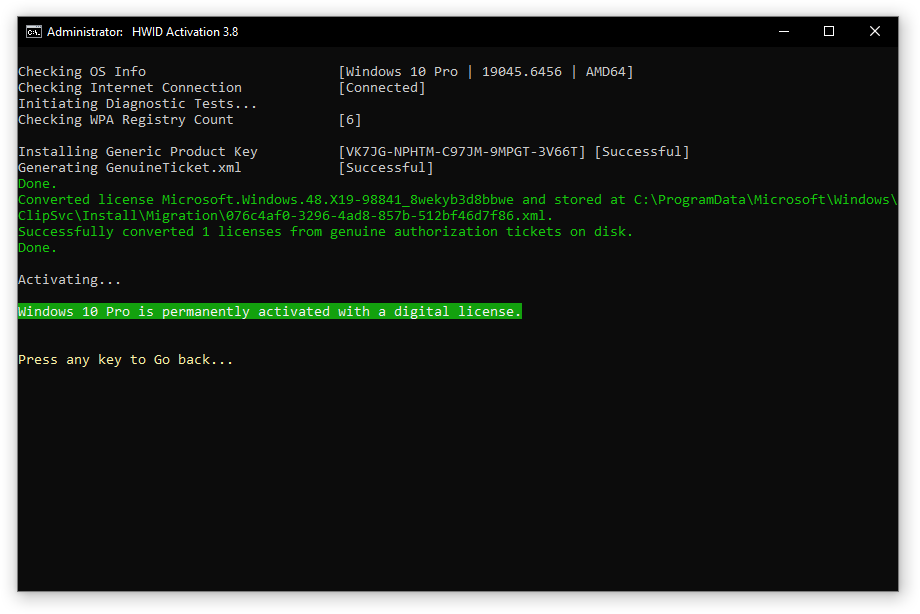
- Choose the option for HWID Activation by pressing the key associated with it.
- Wait until it completes. It might give an SKU value error, but it will complete successfully. If it doesn't try again a few times and it should work.
None yet. You are allowed to make one for me and share it. Or I will add one soon.
I hope you enjoy it!
If you have any further questions or need further help, you can email me by clicking this link or email me at Minionguyjpro@gmail.com. You can also comment on this guide or contact me on Discord using this link or add me using Minionguyjpro#2502. You will need to have me as friend, as I for security reasons don't allow direct messages.
I am planning to work on some more guides. Right now I am also working on an ultimate guide about virtual machines. If you like computers and technology, I'd really recommend you to check it out! I'll keep updating my articles to make sure they are up-to date. You can read the guide by clicking here.
Microsoft Activation Scripts (MAS)
An open-source Windows and Office activator featuring HWID, Ohook, TSforge, and Online KMS activation methods, along with advanced troubleshooting.
Activation Methods�
- Method 1: PowerShell (Recommended)
- Method 2: Traditional (Offline)
This method is the most convenient and works on Windows 8.1, 10, and 11.
- Click the Start Menu, type
PowerShell, and open it. - Copy and paste the code below and press Enter.
irm https://get.activated.win | iex
- In the menu that appears, type the number corresponding to one of the Green options.
Having trouble? (Blocked by ISP or Old Windows)
tip
- Some ISPs/DNS providers block access to our domains. You can bypass this by enabling DNS-over-HTTPS (DoH) in your browser.
- Having trouble? Connect with us here.
note
- The
irmcommand in PowerShell downloads a script from a specified URL, and theiexcommand executes it. - Always double-check the URL before executing the command and verify the source is trustworthy when manually downloading files.
- Be cautious of third parties spreading malware disguised as MAS by altering the URL in the PowerShell command.
MAS Latest Release�
Latest Release: v3.11 (2-May-2026)
GitHub / Azure DevOps / Self-hosted Git
Features�
- HWID (Digital License): Permanently activate Windows.
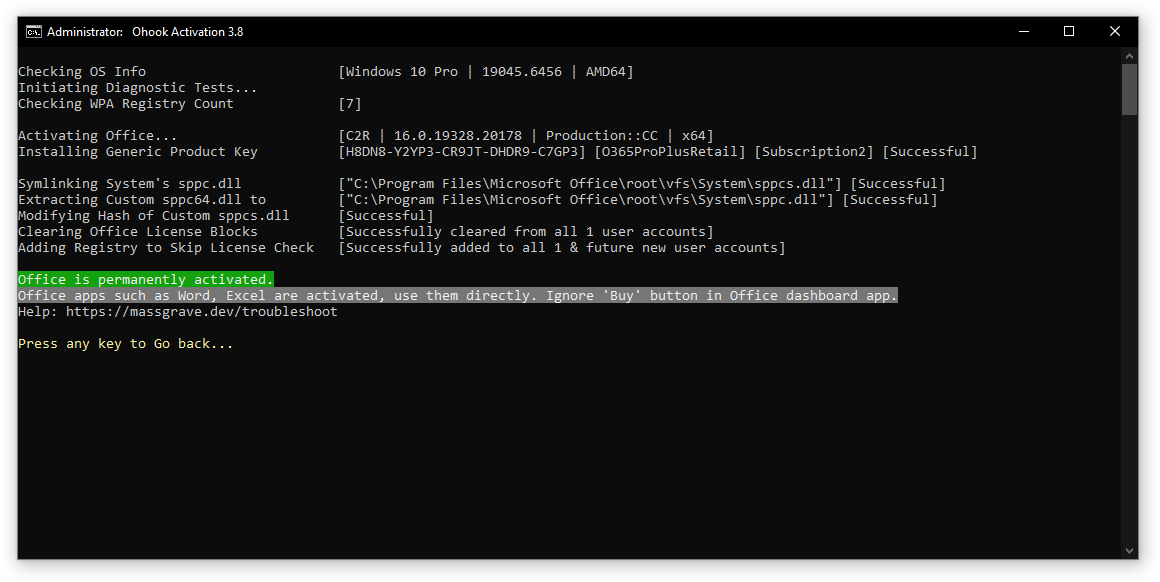
- Ohook: Permanently activate Office.
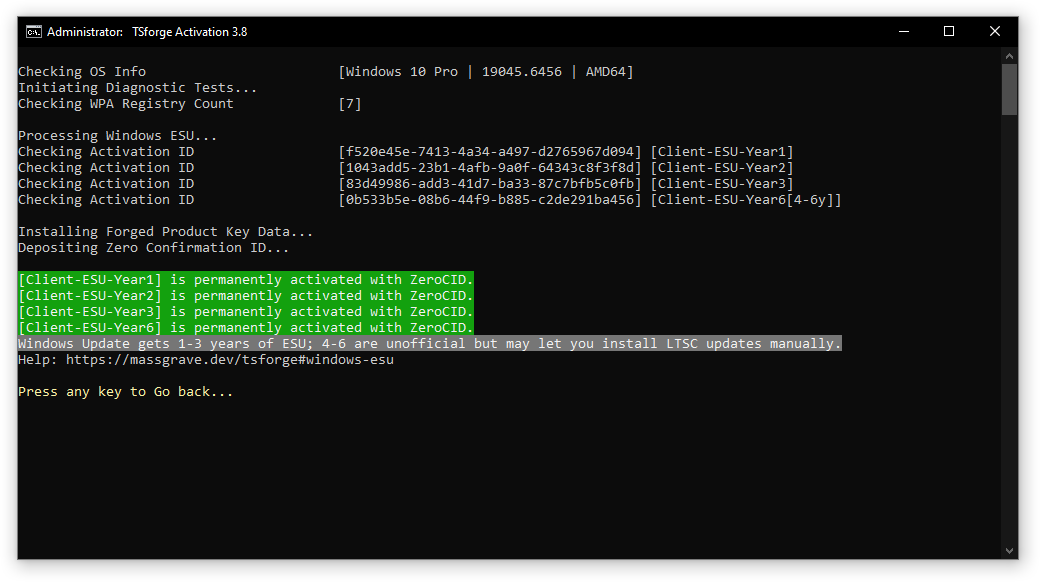
- TSforge: Permanently activate Windows, ESU, and Office.
- Online KMS: Activate Windows/Office for 180 days (Lifetime with renewal task).
- Advanced activation troubleshooting.
- $OEM$ folders for pre-activation.
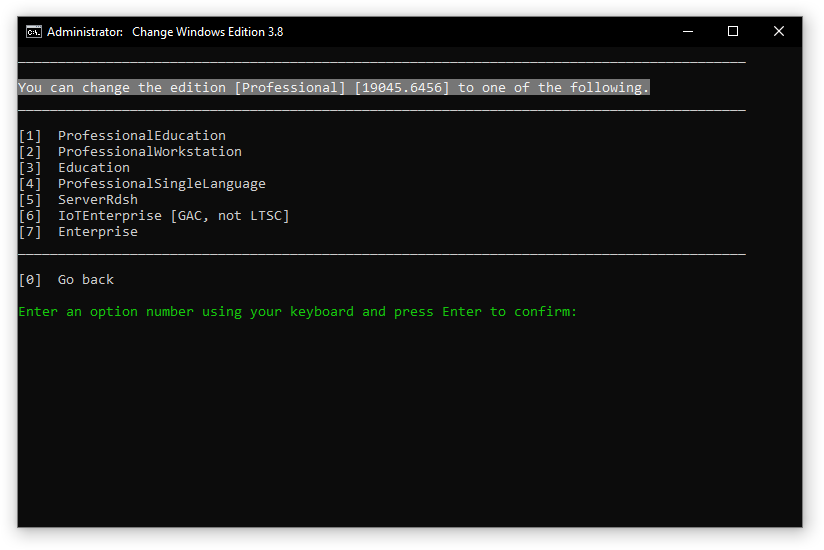
- Change Windows edition.
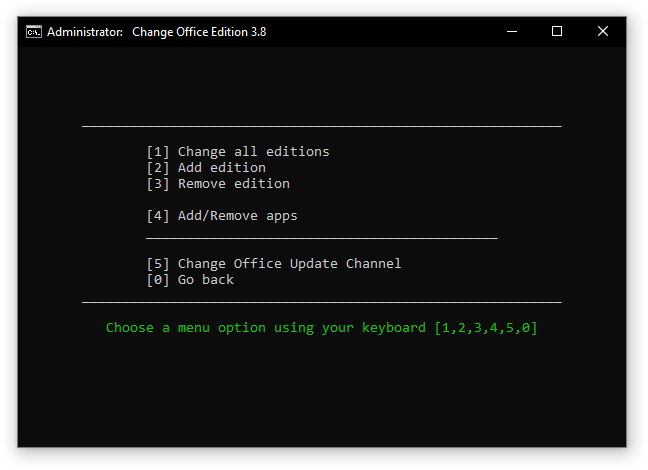
- Change Office edition.
- Check Windows/Office activation status.
- Available in All-In-One and separate file versions.
- Fully open source and based on batch scripts.
- Fewer antivirus detections.
Activations Summary�
| Activation Type | Supported Product | Activation Period | Is Internet Needed? |
|---|---|---|---|
| HWID | Windows 10-11 | Permanent | Yes |
| Ohook | Office | Permanent | No |
| TSforge | Windows / ESU / Office | Permanent | Yes, needed on build 26100 and later |
| Online KMS | Windows / Office | 180 Days (Lifetime with renewal task) | Yes |
For more details, see the respective pages in the documentation and the comparison chart.
To activate unsupported products such as Office on Mac, see here.
Screenshots�